Error Handling in JavaScript: Try, Catch, Finally
Introduction:
Imagine you’re filling out an online payment form.
You click “Pay” → something fails (network issue, invalid card, server error).
Now two possibilities:
❌ The app crashes → bad experience
✅ The app shows a helpful message → “Payment failed, try again”
That second behavior is error handling.
In JavaScript, errors will happen. The goal isn’t to avoid them completely it’s to handle them gracefully.
In this blog, you will master the art of building resilient applications by transforming unexpected crashes into graceful user experiences through robust JavaScript error handling.
What are Errors in JavaScript?
Errors are objects thrown when an exceptional condition occurs during the execution of your code. They interrupt the normal flow of the program.
- Syntax Errors: Occur when you break JavaScript’s grammar rules such as missing brackets or incorrect syntax. These are detected before execution, so the code doesn’t run at all.
// ❌ Missing closing parenthesis
console.log("Hello world"

// ❌ Unexpected token
if (true {
  console.log("Hi");
}
- Runtime Errors: Occur while the program is running such as accessing an undefined variable or calling a method on null. These are the main errors handled using try...catch.
// ❌ ReferenceError: user is not defined
console.log(user.name);

// ❌ TypeError: Cannot read properties of null
let data = null;
console.log(data.length);

// ✅ Handling runtime error using try...catch
try {
  let result = JSON.parse("invalid json");
} catch (error) {
  console.log("Error caught:", error.message); // handled gracefully
}
- Logical Errors: Occur when the code runs successfully but produces incorrect results due to flawed logic. These don’t throw errors but can lead to unexpected behavior.
// ❌ Logical mistake: wrong formula
function calculateTotal(price, tax) {
  return price - tax; // should be price + tax
}

console.log(calculateTotal(100, 10)); // Output: 90 (incorrect)
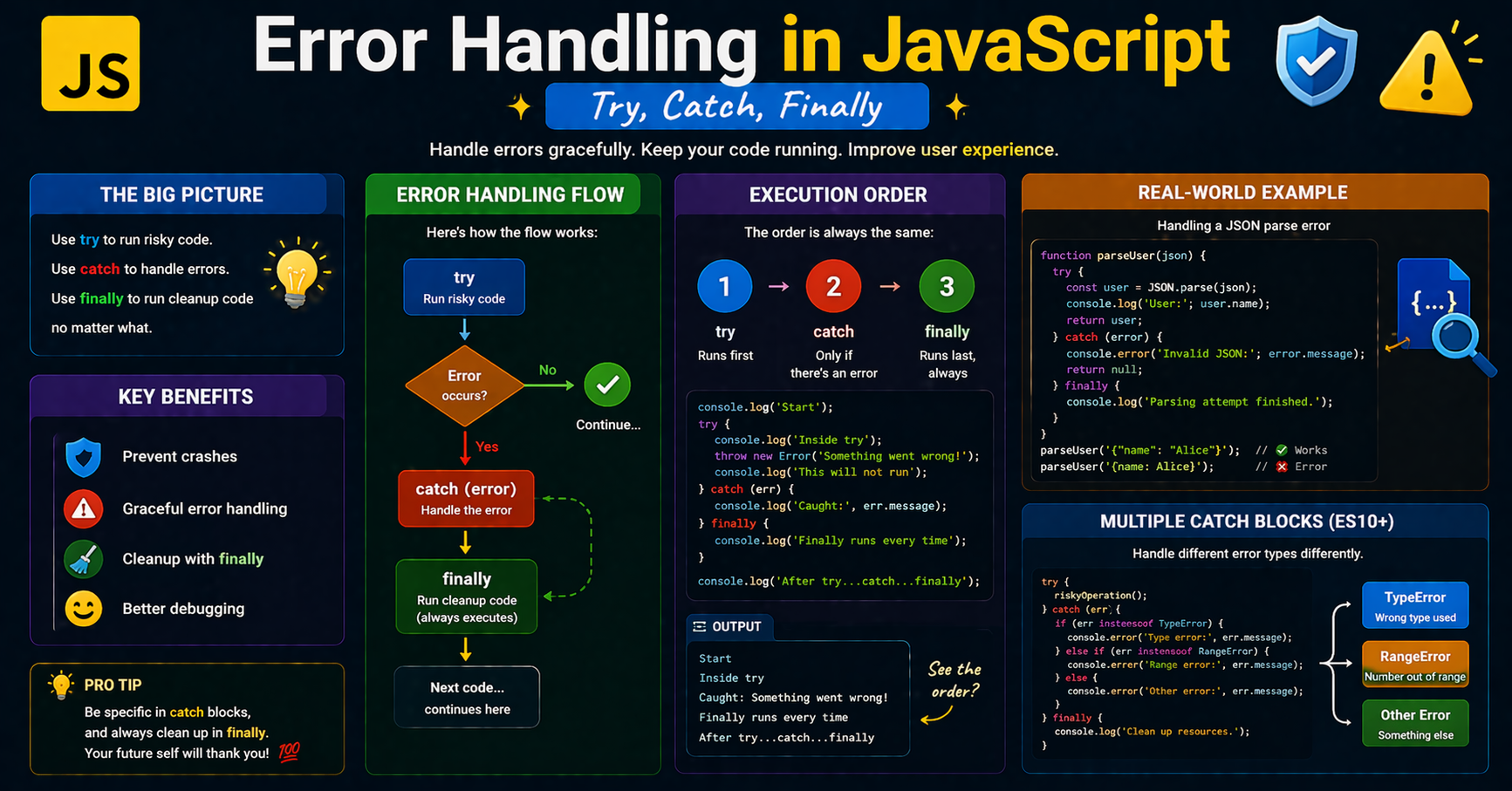
The try...catch blocks
To handle potential failures, we wrap "risky" code in a try block. If an error occurs, the code execution immediately jumps to the catch block.
try {
  let data = JSON.parse("invalid json"); // This will throw an error
} catch (error) {
  console.log("Something went wrong: " + error.message);
}
The finally Block
The finally block is optional code that executes regardless of whether an error was thrown or caught. It is perfect for "cleanup" tasks, such as closing a database connection or hiding a loading spinner.
try {
  console.log("Connecting to server...");
  throw new Error("Connection failed!");
} catch (e) {
  console.log("Error caught: " + e.message);
} finally {
  console.log("Cleaning up resources..."); // Runs no matter what
}
Throwing Custom Errors
Sometimes you need to trigger an error manually when a business rule is violated. Use the throw keyword to create your own exceptions.
function withdraw(amount) {
  if (amount > 1000) {
    throw new Error("Withdrawal limit exceeded!");
  }
  return "Success";
}

try {
  withdraw(5000);
} catch (e) {
  console.error(e.message); // Output: Withdrawal limit exceeded!
}
Why Error Handling Matters
Graceful Failure: Instead of a blank white screen or a frozen app, you can show a user-friendly message like, "Sorry, we couldn't load your profile."
Debugging Benefits: By catching and logging errors (e.g., sending them to an analytics service), you can fix bugs in production before users report them.
Code Stability: It prevents one broken feature from crashing the entire user experience.
Flow Representation: Try, Catch, Finally
[ Start ]
    |
[ Try Block ] ---> (If Error) ---> [ Catch Block ]
    |                                    |
    +-----------> (If No Error) ---------+
                    |
              [ Finally Block ]
                    |
                 [ End ]
Key Takeaways
Runtime errors are inevitable; professional code anticipates them.
tryhouses the risky operation;catchhandles the fallout.finallyis your safety net for cleanup, running 100% of the time.throwallows you to enforce your own custom application logic.Never hide errors: Always log them so you can improve your software over time.
Error handling improves:
Stability
Debugging
User experience
In closing
I hope that you’ve found this blog on “Error Handling in JavaScript: Try, Catch, Finally” helpful...!
That's all for today! 😁 You reached the end of the article 😍.
Want more..?
I write articles on princekumar-engineer.hashnode.dev, and also post development-related content on the following platforms: