Destructuring in JavaScript
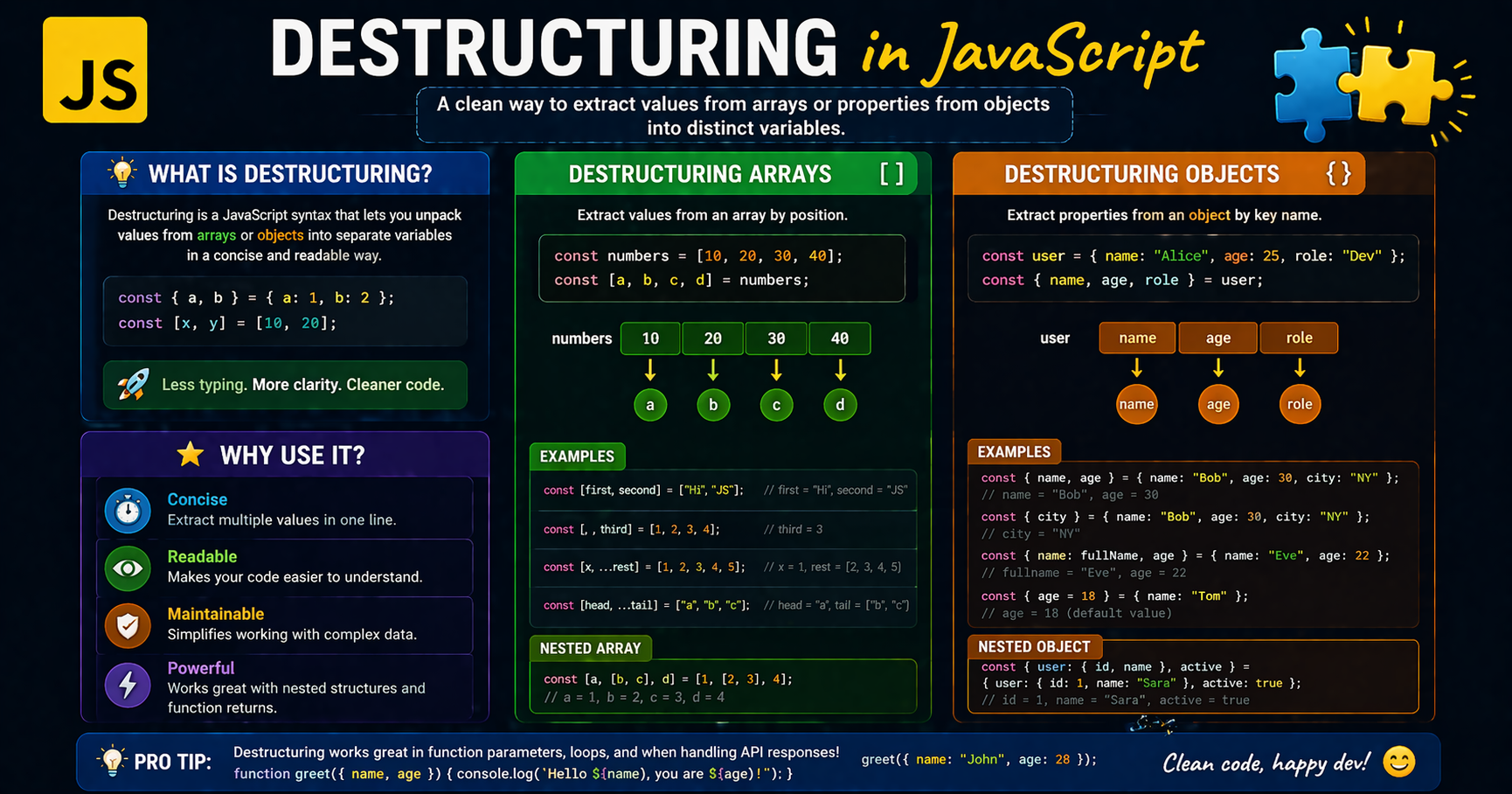
Introduction:
Imagine you receive a package with multiple items inside.
Instead of opening it and picking items one by one manually, you directly place each item where it belongs.
That’s exactly what destructuring does in JavaScript, it lets you extract values from arrays or objects into variables in a clean, direct way.
What Destructuring Means
Destructuring is a JavaScript syntax that allows you to unpack values from arrays or objects into separate variables.
It doesn't change the original structure; it simply creates a convenient shorthand for extracting data.
Instead of writing repetitive access code,
destructuringgives a short and readable way to extract data.
Destructuring Arrays
When destructuring arrays, JavaScript uses positional assignment. The variable name you choose is mapped to the index of the array element.
Simple Example
const colors = ['red', 'green', 'blue'];

// Before: Manual indexing
const first = colors[0];
const second = colors[1];

// After: Destructuring
const [primary, secondary] = colors;

console.log(primary); // 'red'
Visualization
Array:    [ "red", "green", "blue" ]
             |        |
Destruct: [ primary, secondary ]
Destructuring Objects
Unlike arrays, objects use key-based assignment. You must use the property names that exist within the object to extract the values.
Simple Example
const user = { name: 'Alex', age: 25 };

// Before: Repetitive 'user.' prefix
const name = user.name;
const age = user.age;

// After: Clean extraction
const { name, age } = user;

console.log(name); // 'Alex'
Visualization
Object:   { name: "Alex", age: 25 }
             |            |
Destruct: { name,         age }
Default Values
Sometimes, the data you're looking for might be missing (undefined). Destructuring allows you to set a "safety net" or default value so your code doesn't break.
const settings = { theme: 'dark' };

// If 'fontSize' is missing in settings, it defaults to 16
const { theme, fontSize = 16 } = settings;

console.log(fontSize); // 16
Benefits of Destructuring
1.Reducing Repetitive Code
Destructuring shines in function parameters. Instead of passing a whole object and typing item.property five times, you extract it once.
Before:
function displayUser(user) {
  console.log(user.name + " is " + user.age + " years old.");
}
After:
function displayUser({ name, age }) {
  console.log(`\({name} is \){age} years old.`);
}
2.Readability and Maintenance
Declarative Style: It tells the reader exactly which data a block of code cares about right at the top.
Easier Refactoring: If an object structure changes, you often only need to update the
destructuringline rather than every instance of the variable in your logic.
Key Takeaways
Unpacking:
Destructuringis about extracting values, not destroying the original data.Arrays vs. Objects: Arrays rely on order; Objects rely on keys.
Safety: Use default values to prevent
undefinederrors.Efficiency: It eliminates the need for repetitive temporary variables and makes function signatures much clearer.
In closing
I hope that you’ve found this blog on “Destructuring in JavaScript” helpful...!
That's all for today! 😁 You reached the end of the article 😍.
Want more..?
I write articles on princekumar-engineer.hashnode.dev, and also post development-related content on the following platforms: